

What is a Workspace?
A workspace is an organizational container inside your AdStellar team. Think of it like a dedicated folder for a specific client or initiative. All content inside a workspace stays isolated, including:- Campaigns
- Templates
- Media/creatives
- Performance data
- AI insights
Common Use Cases
- Agencies: Create a workspace for each client
- Brands: Separate product lines, initiatives, or markets
- Freelancers: Organize client engagements cleanly
- Teams: Keep experiments, tests, and evergreen campaigns separated
Accessing Workspaces
Workspace Switcher (Sidebar)
Your active workspace is always shown at the top of the left sidebar. To switch:1
Open the switcher
Click on the workspace name in the top of the left sidebar.
2
Browse workspaces
A dropdown will appear showing all your workspaces.
3
Select a workspace
Click the workspace you want to switch to. The app will reload with data from the selected workspace.
Creating a Workspace
1
Open workspace management
Click on the workspace switcher in the sidebar and select Manage Workspaces.
2
Create a new workspace
Click Create Workspace in the top right.
3
Fill in the details
Configure your new workspace:
- Icon (optional)
- Workspace Name (required)
- Description (optional)
4
Confirm
Click Create Workspace. You’ll be automatically switched into the new workspace.
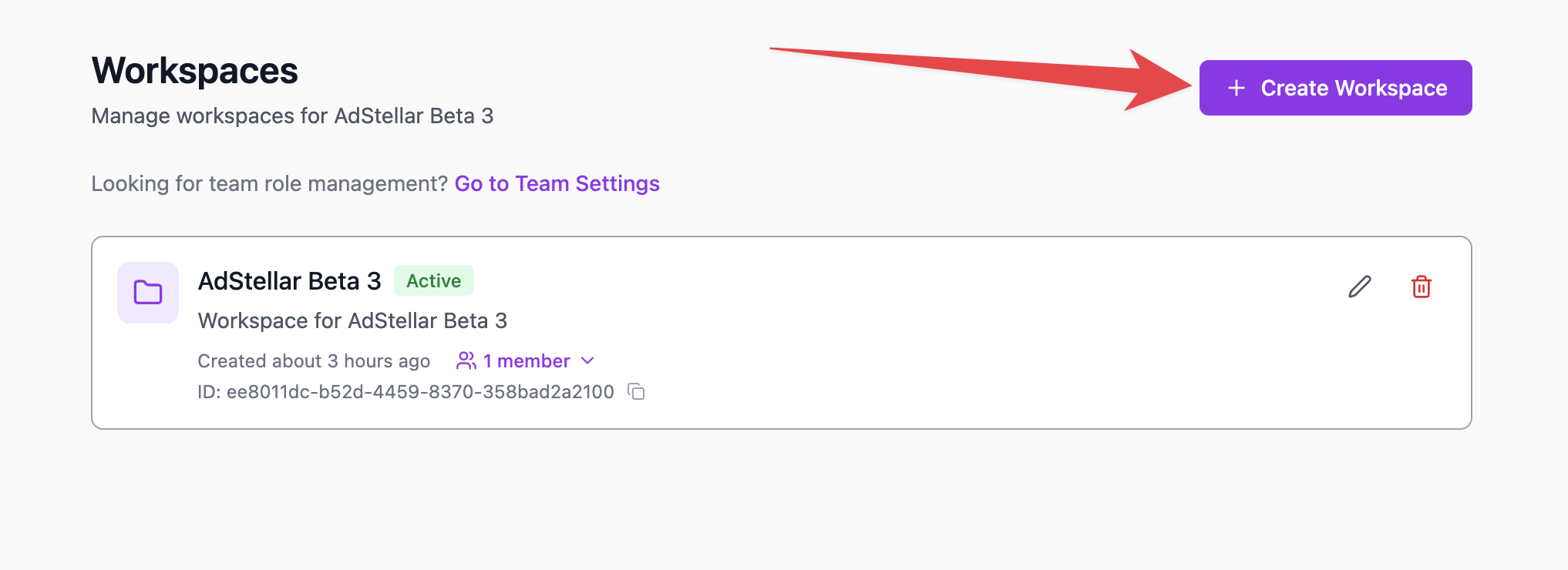
Managing Workspaces
All workspace management occurs in Manage Workspaces, available in the app menu.Available Actions
The default workspace cannot be deleted.
Workspace Members
Each workspace can have its own member list and permissions.Roles & Permissions
Adding Members
1
Navigate to the workspace
Go to Manage Workspaces and expand the workspace.
2
Add a member
Click Add Member.
3
Choose and assign a role
Choose an existing team member or invite a new user by email. Select their workspace role (Admin or Member) and confirm.
Removing Members
1
Navigate to the workspace
Go to Manage Workspaces and expand the workspace.
2
Remove the member
Click the remove button next to the member’s name.
3
Choose removal scope
Choose whether to remove them from just the workspace or from the entire team.
Team Admin Access
Team Owners and Team Admins automatically have access to every workspace.Data Isolation
Workspaces keep everything neatly separated:
Shared across the team:
- Team-level templates
- Connected Meta ad accounts
Default Workspace
Every new team on AdStellar is created with a Default Workspace, which:- Cannot be deleted
- Acts as a fallback for users
- Can be renamed or updated