

Performance Is Now Ads Manager
The Performance page has a new name and a new home. It’s now Ads Manager, and it sits in the left sidebar right under Launch instead of inside Insights, so campaign metrics and controls are one click from where you launch.Nothing else changed: the same drill-down table, on/off switches, budget editing, goals, and result metrics are all there. Old links to the Performance page redirect automatically.Read the Ads Manager guide →Seedance 2.5 Is Here
A new video model just landed in the Canvas model picker: Seedance 2.5, our most natural-looking option for realistic UGC videos.What makes it special:- 30-second single takes — one continuous shot up to 30 seconds, no stitching, so the delivery flows like a real selfie video
- Most natural UGC look — the closest yet to “a real person actually filmed this”
- Joint audio generation — voice, ambient sound, and lip movement are generated together for a natural result
- Multimodal references — drop in reference images, audio, or video and mention them in your prompt with
@Image1,@Audio1,@Video1
Pick the Vibe for Your UGC Videos
Realistic UGC videos now have a vibe selector — choose the delivery style your creator brings to camera before you generate, so the performance matches the energy of your script instead of always landing on the same flat read.Choose from four vibes:- 🔥 Hype — high-energy “you NEED this” excitement
- 😌 Chill — relaxed, friend-recommendation energy
- 💬 Storytime — the “okay, so I have to tell you about this” confessional lean-in
- 🎯 Straight talk — calm, confident, no-nonsense
- More reliable Realistic UGC — we tightened up the Realistic UGC pipeline so your actors talk through the whole clip more consistently
- Mobile optimizations — the Agent chat, analytics, and creative surfaces are now much smoother on phones, so you can check performance and kick off work on the go
- Bug fixes — a batch of smaller fixes and polish across the app
A Fresher, Calmer AdStellar
We gave the app a cleaner, more focused monochrome look, tidied up the sidebar, and added an in-app What’s New panel so you always know what just shipped — no need to dig through docs to find out what changed this week.What’s new:- Monochrome refresh — calmer colors, clearer hierarchy, less visual noise
- Tidier sidebar — your generation queue and credit balance now live in the sidebar footer, out of the way
- What’s New panel — a single panel that summarizes recent launches, accessible right from the sidebar
Make the Agent Yours
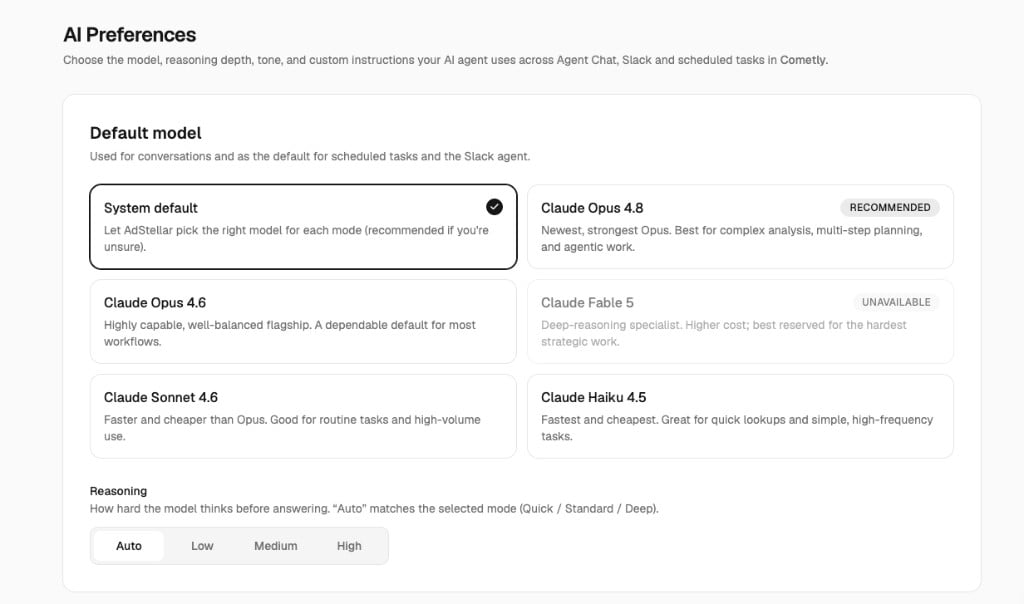
You can now set workspace-wide preferences for the AdStellar Agent — pick the model, dial reasoning up or down, set the tone, and leave standing instructions that apply to every conversation. No more re-explaining your preferences every time you start a new thread.What you can configure:- Model — choose the underlying model the Agent uses for your workspace
- Reasoning depth — balance speed vs. thoughtfulness depending on the task
- Tone — formal, casual, direct, however your team likes to work
- Standing instructions — rules like “always propose budgets in USD” or “never pause ads without asking first”
Charts and Diagrams, Inline in the Conversation
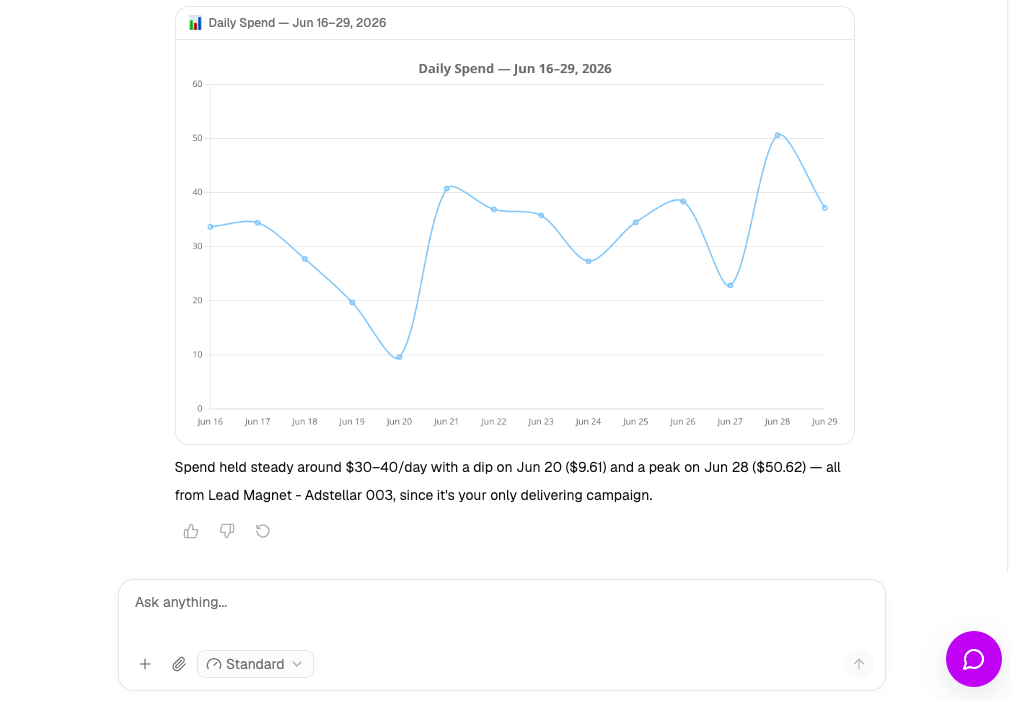
When you ask the Agent about performance, it now answers with real charts and diagrams drawn straight into the thread — no more squinting at a wall of numbers when a bar chart would do the job.What you’ll see:- Bar, line, and pie charts for performance breakdowns over time
- Diagrams for funnels, flows, and campaign structures
- Inline rendering — the chart appears in the reply, not in a separate tab
Launch App Promotion and Click-to-Message Campaigns
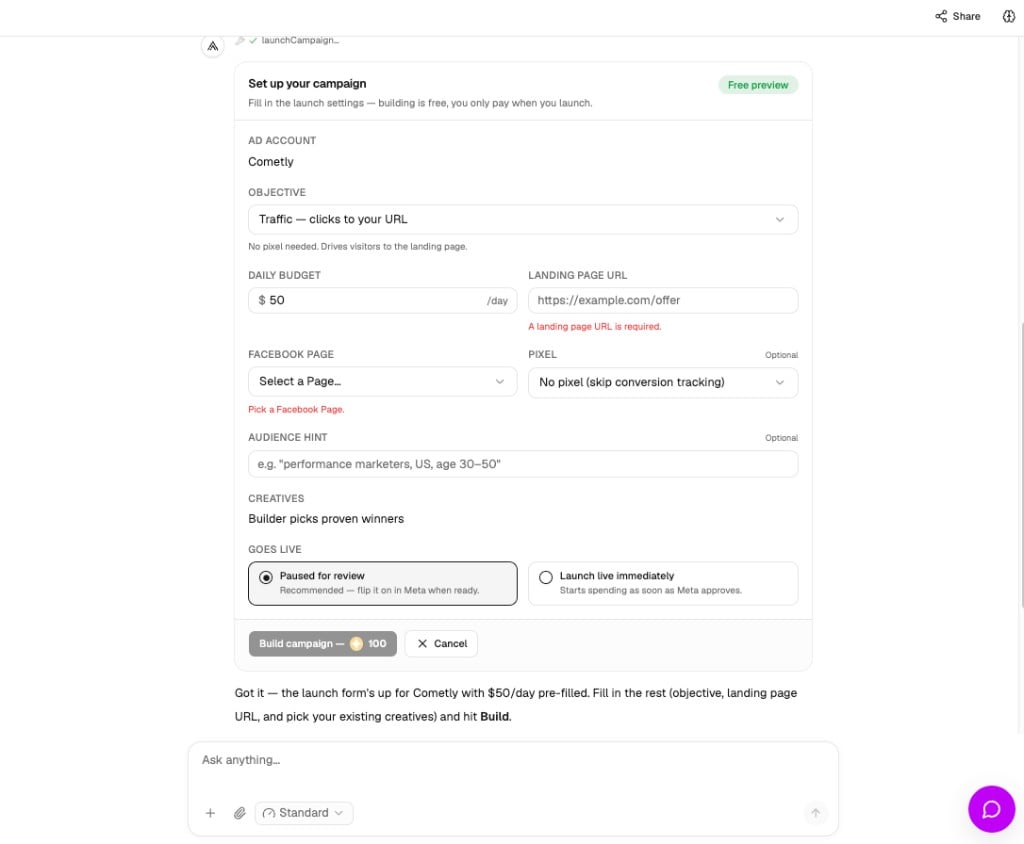
The Agent can now build and launch two more Meta campaign types end-to-end — just describe what you want to achieve and where people should land, and it assembles the right structure for you.Now supported from chat:- App Promotion — drive installs and re-engagement to your mobile app
- Click-to-message — start conversations on Messenger, WhatsApp, and Instagram Direct
Connect AdStellar to the Rest of Your Stack
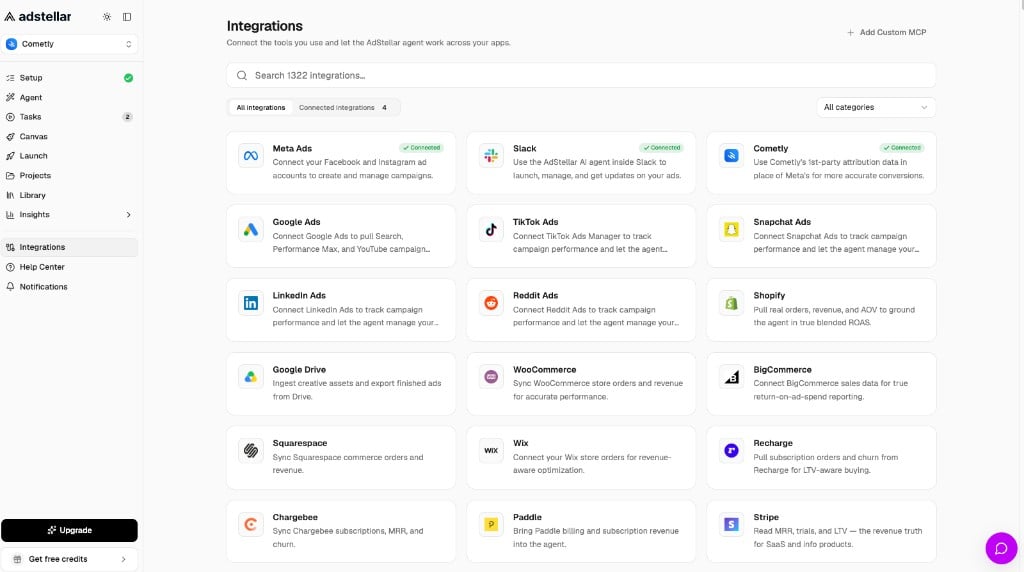
The new Integrations Hub lets you plug AdStellar into the tools you already use. Browse Pipedream connectors, wire up custom external tools, and decide exactly which actions each connector is allowed to take in your workspace.What you can do:- Browse and install connectors from a curated catalog
- Add custom tools for workflows we don’t cover out of the box
- Per-connector permissions — grant each integration only the actions it actually needs
- Workspace-scoped access — connectors work for the whole team, not just the person who installed them
The Agent Now Keeps Watch and Follows Up on Its Own
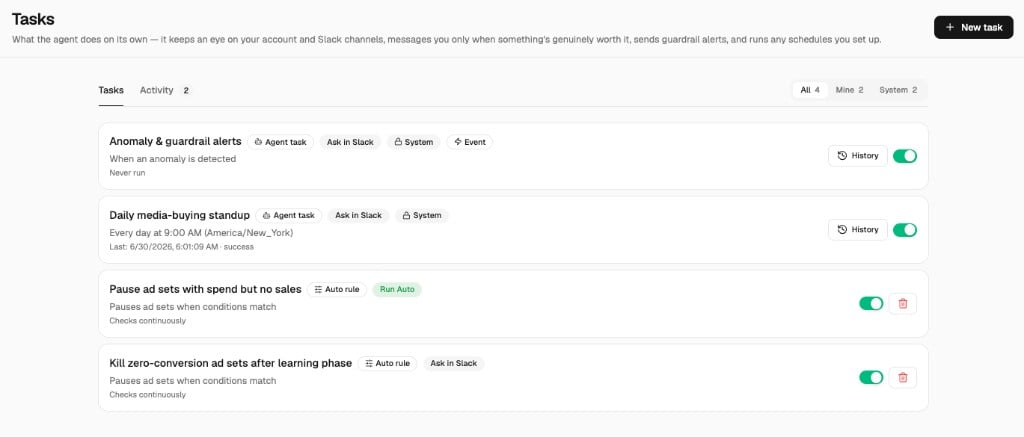
You can now ask the Agent to check back on something later — “look at this campaign every morning and tell me if spend is off pace” — and it will. Scheduled and follow-up tasks live in a single list with play/pause controls and an in-app activity feed, so you can see what the Agent is up to without opening Slack.How it works:- Schedule a follow-up — ask the Agent in chat or Slack to revisit something on a cadence
- One unified task list — auto-rules and agent-created tasks live in the same place
- Play / pause rows — pause a task without deleting it; resume when you’re ready
- In-app activity feed — see what the Agent ran, when, and what it found, even if you never connect Slack
Pause, Resume, and Re-Budget Ads From Inside the Agent
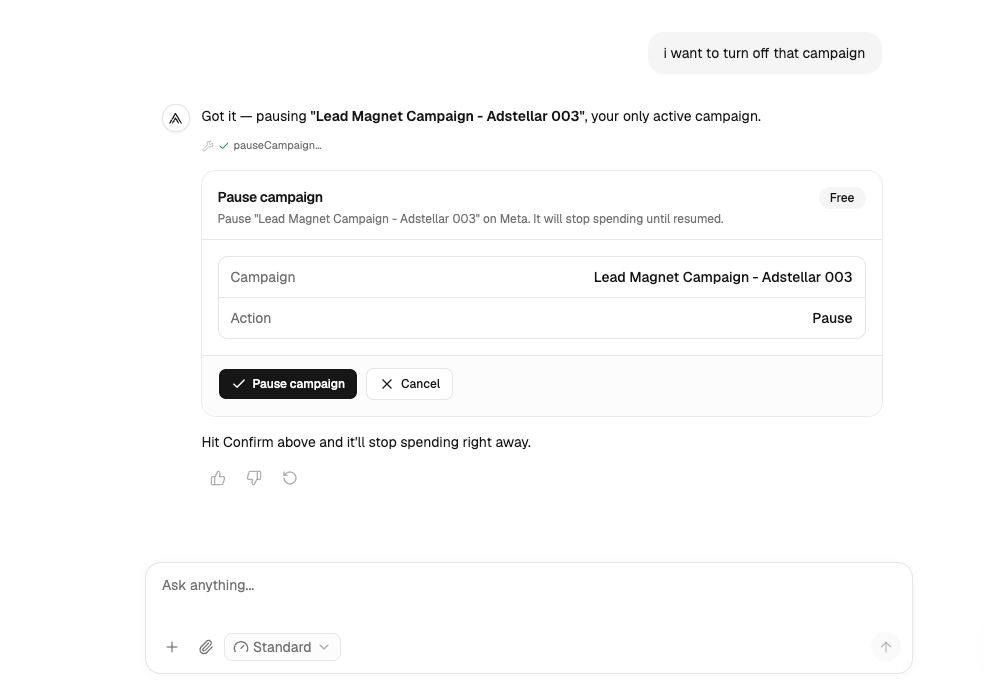
The Agent can now pause or resume individual ad sets and ads, and adjust a single ad set’s budget — right in the conversation. It pulls live data from your Meta account, so the numbers you see are the numbers you act on.What you can ask:- “Pause the ad set that’s been burning budget on lookalike A this week”
- “Bump the budget on our top-performing ad set by 20%”
- “Resume the prospecting campaign we paused last Friday”
Use the AdStellar Agent in Slack
The AdStellar Agent now works right inside Slack. It’s the same AI media buyer you use in the app — with every tool — reached by mentioning @AdStellar in any channel or sending it a direct message. No tab-switching: analyze performance, write copy, generate creative, and launch or manage Meta campaigns from where your team already works.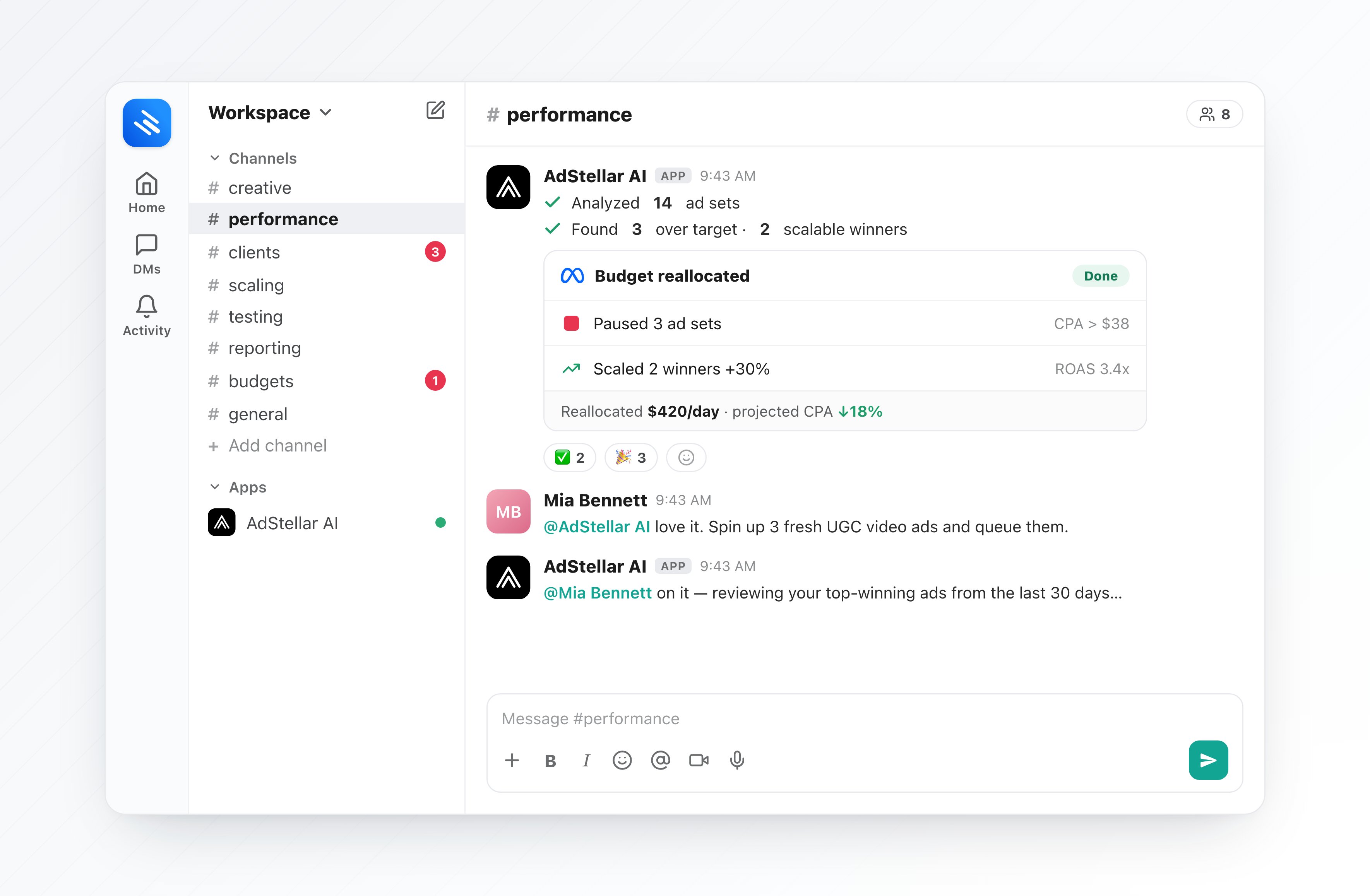
- Mention or DM —
@AdStellar how did my campaigns do in the last 7 days?in a channel, or just DM the bot - The full agent, every tool — performance analysis, ad copy, image/video/UGC creative, and campaign management
- Replies in-thread — the bot reacts with ⏳ while it works, then answers in the thread and marks it ✅
- Confirm before it acts — anything that spends or changes your account (launch, pause, budget, generation) shows Confirm / Cancel buttons first
- Built for agencies — bind each Slack channel to a specific workspace, or let DMs use your default
/invite @AdStellar) or DM it, and you’re set.Read the full guide →One Media Library, No More Duplicates
We unified the Media Library and the asset picker into one consistent surface. Saving an asset is now explicit, so nothing lands in your library by accident, and picking assets for an ad feels the same everywhere in the app.What changed:- One library, one picker — the same UI everywhere you choose media
- Explicit save — generated or uploaded assets only land in your library when you say so
- No more duplicates — picking and saving now flow through the same path
The AdStellar Agent Is Now the Home of the App
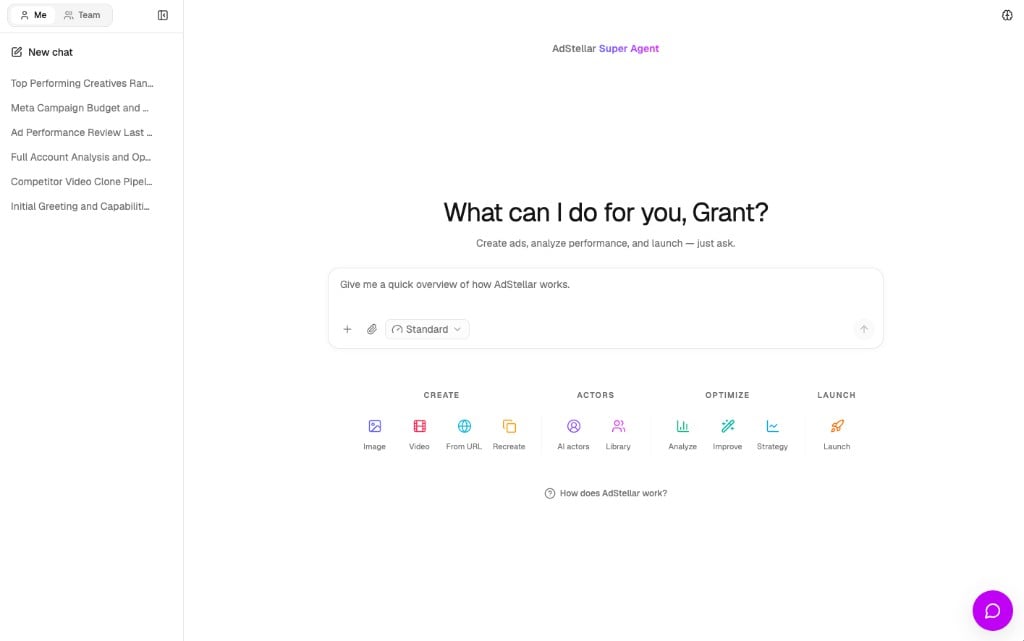
The AdStellar Agent is out of beta and is now the first thing you see when you log in. Your generation queue and credit balance moved into the sidebar so the conversation stays the focus. The old Canvas homepage is still there for users who haven’t set up a team yet.What changed:- Chat is the homepage — every signed-in user with an active team lands in
/chat - Calmer sidebar — generation queue and credits moved into the sidebar footer
- Personalized empty state — a greeting that knows who you are and what you’ve been working on
- Setup CTAs — new users get an Agent and Launch shortcut right from the setup page
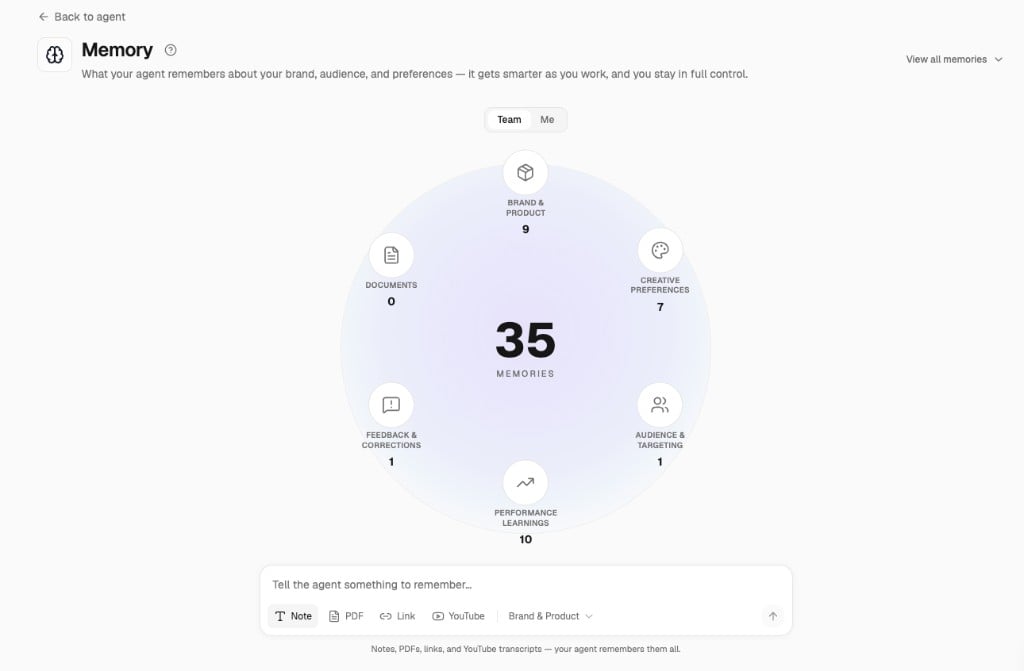
The Agent Remembers
The Agent now keeps a categorized memory of what matters to your workspace — your brand, your products, your launch habits, your preferences — and pulls on it automatically. You don’t have to re-explain your business every time you open a new thread.How it works:- Categorized memory — brand, products, audience, preferences, and past launches each get their own bucket
- Auto-extraction — the Agent picks up facts from your conversations and files them on its own
- Recency and supersede — newer facts naturally replace older ones, so memory stays current
- Browse and edit — see everything the Agent knows at
/memoryand trim what you don’t want it holding onto
Manage Campaigns Directly from the Performance Page
You can now control your Meta campaigns without leaving AdStellar:- On/off switches — pause or resume any campaign, ad set, or ad right from the Performance table, just like Meta Ads Manager
- Inline budget editing — see every daily and lifetime budget in the new Budget column and change it with a quick click-to-edit popover
- Bulk budget edits — select multiple campaigns or ad sets and update all their budgets at once
Meet the AdStellar Agent — Your AI Media Buyer in the App
The same AI media buyer you can now reach in Slack is available right inside AdStellar. Ask it to analyze performance, write ad copy, generate or refresh creative, and launch or manage Meta campaigns — all in a single conversation, with Confirm / Cancel cards before anything spends or changes your account.What you can do from chat:- Analyze performance — “how did my campaigns do in the last 7 days?” with live Meta data and inline charts
- Write ad copy — headlines, primary text, and captions in your brand voice
- Generate creative — image ads, video ads, and UGC avatar videos, inline in the thread
- Launch and manage — build new campaigns, pause ads, adjust budgets, and relaunch winners
- Greatest-hits workflow — point the Agent at your top ads and have it draft a relaunch in one step
- Strategy intelligence — the Agent reads your account history and proposes strategy grounded in what’s actually worked for you
A Cleaner, Faster Way to Pick Your Plan
We redesigned the choose-a-plan page so you can compare plans and pick the right one before you ever hit Stripe — no more guessing what you’re going to pay.What changed:- Side-by-side comparison — see every plan’s features and credit allowance in one view
- Pick before checkout — you choose your plan first, then head to Stripe to pay
- Clearer trial terms — the 200-credit trial cap is spelled out up front
Trim, Caption, and Edit Video Without Leaving AdStellar
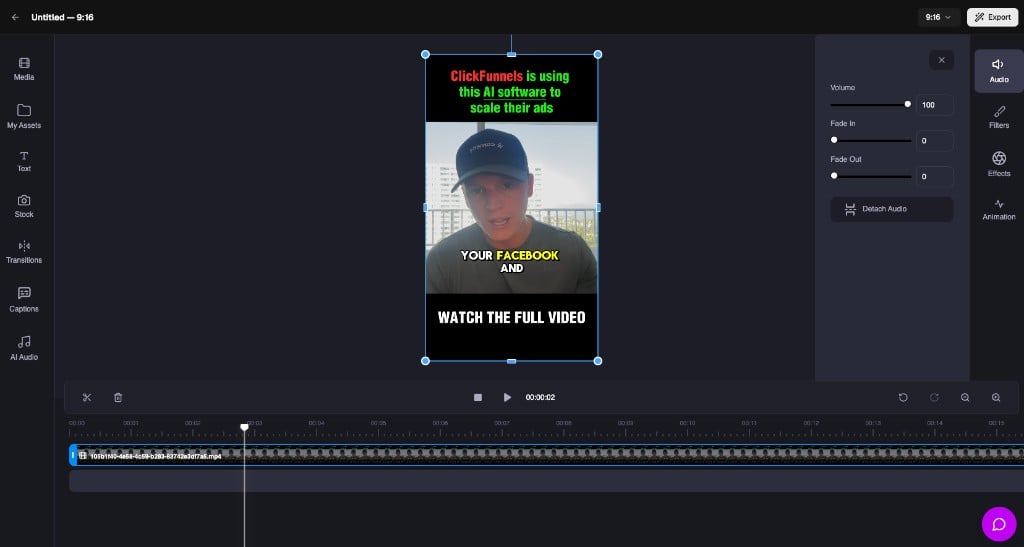
The Video Editor now has a standalone blank-canvas mode reachable straight from the sidebar — open it and start editing any video in your library, no project required.What you can do:- Trim and arrange — cut, split, and reorder clips on a timeline
- Add captions — drop in styled captions and choose how text appears on screen
- AI audio — generate voiceover and drop it onto the timeline
- Export — render and save back to your Media Library
Generate Multi-Actor UGC Videos in One Go
Realistic UGC avatar videos now support up to three actors at once, producing three separate videos from a single prompt — perfect for testing different spokespeople against the same script without re-running the flow three times.What’s new:- Up to 3 actors per generation — each becomes its own finished video
- Same script, different faces — test which spokesperson resonates before you scale spend
- Refreshed Canvas studio — a cleaner creative workspace, alongside recalibrated creative pricing
Iterate on Image Ads with References and Full Revision History
Editing an image ad is now much more flexible. Pull in a reference image to steer a revision, and replay any past revision from its original source — so you can fork an old direction without losing the path you took to get there.What you can do:- Add a reference image — steer a revision toward a style, layout, or mood
- Replay any past revision — fork from an earlier direction without redoing the whole prompt
- Full edit history — see every revision you’ve made to an image ad in one place
Bring Your Own Face to UGC Avatars
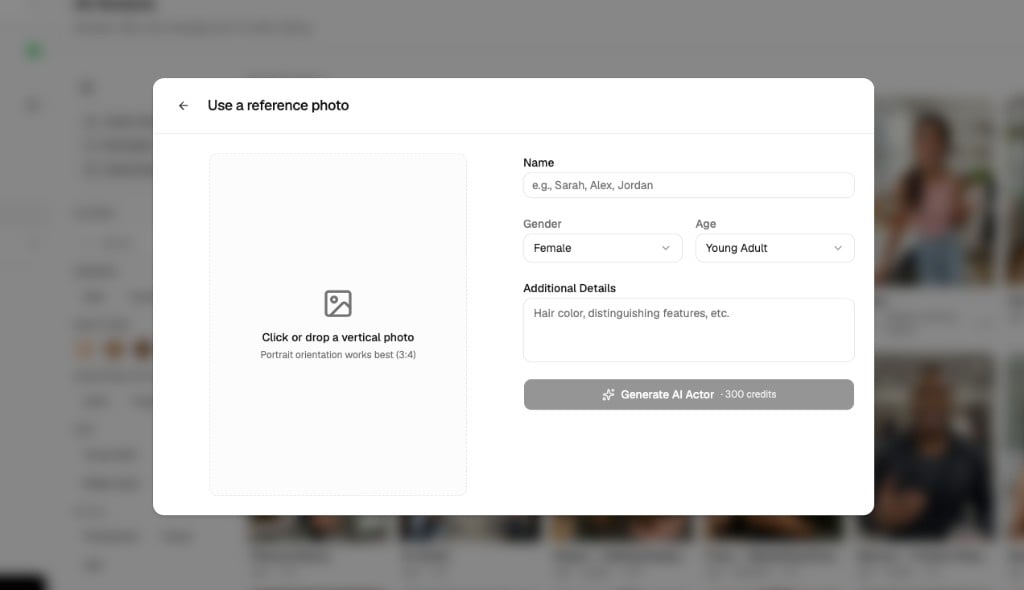
You can now upload your own reference photo to create a custom AI actor for UGC avatar videos. Uploads require explicit consent, are billed clearly, and are gated to paid plans during trial so there are no surprise charges.How it works:- Upload a reference photo — bring a face you have the rights to use
- Explicit consent step — consent is captured before any generation runs
- Clear credit billing — you see the cost before you generate
- Paid-plan gating — custom actors are available on paid plans, not during trial
Create Ads with AI — Image Ads, Video Ads, UGC Avatar Ads
We’re excited to introduce the Canvas — your new home for creating ad creatives with AI. Generate scroll-stopping image ads, professional video ads, and realistic UGC avatar videos, all without a designer or production team.Image Ads
Generate image ad creatives in seconds. Paste a product URL, upload a reference image, clone a competitor ad from the Meta Ad Library, or combine an AI actor with your product for a UGC-style photo.
- Product Page URL — Paste your product link and AI extracts everything to generate ads automatically
- Upload a Reference — Upload any image you like and AI recreates the style with your product
- Clone from Ad Library — Browse real Meta ads and clone the creative direction
- AI Actor + Product — Combine an AI-generated person with your product for authentic-looking UGC photos
Video Ads
Turn your product into a professional video ad. Choose from trending templates or recreate a video you love with your own product and branding.What you can do:- Video Templates — Browse proven, trending video ad templates and customize with your product
- Recreate from Reference — Paste a URL or upload a video and AI recreates it with your branding
- Multiple Aspect Ratios — Square, portrait, landscape, and vertical for every placement
- Caption Styles — Choose how text appears on screen
UGC Avatar Ads
Generate realistic talking-head videos with AI avatars delivering your script. It looks like authentic creator content, but you control everything — the avatar, the script, the voice, and the tone.What you can do:- Pick from a gallery of AI avatars — Choose an actor that matches your target audience
- Write or AI-generate scripts — Let AI write the script or write your own
- Select a voice — Preview and pick the perfect voice and tone
- Create custom avatars — Text-to-avatar, video-to-avatar, or auto-generate from your Brand Kit
Supporting Features
This release also includes several tools that make creative generation even better:- Products — Add your product catalog so AI knows exactly what to advertise
- Brand Kit — Set up your brand colors, fonts, tone, and buyer profiles for on-brand creatives every time
- Projects — Organize your generated creatives into folders
- Media Library — Store and manage all your assets in one place