

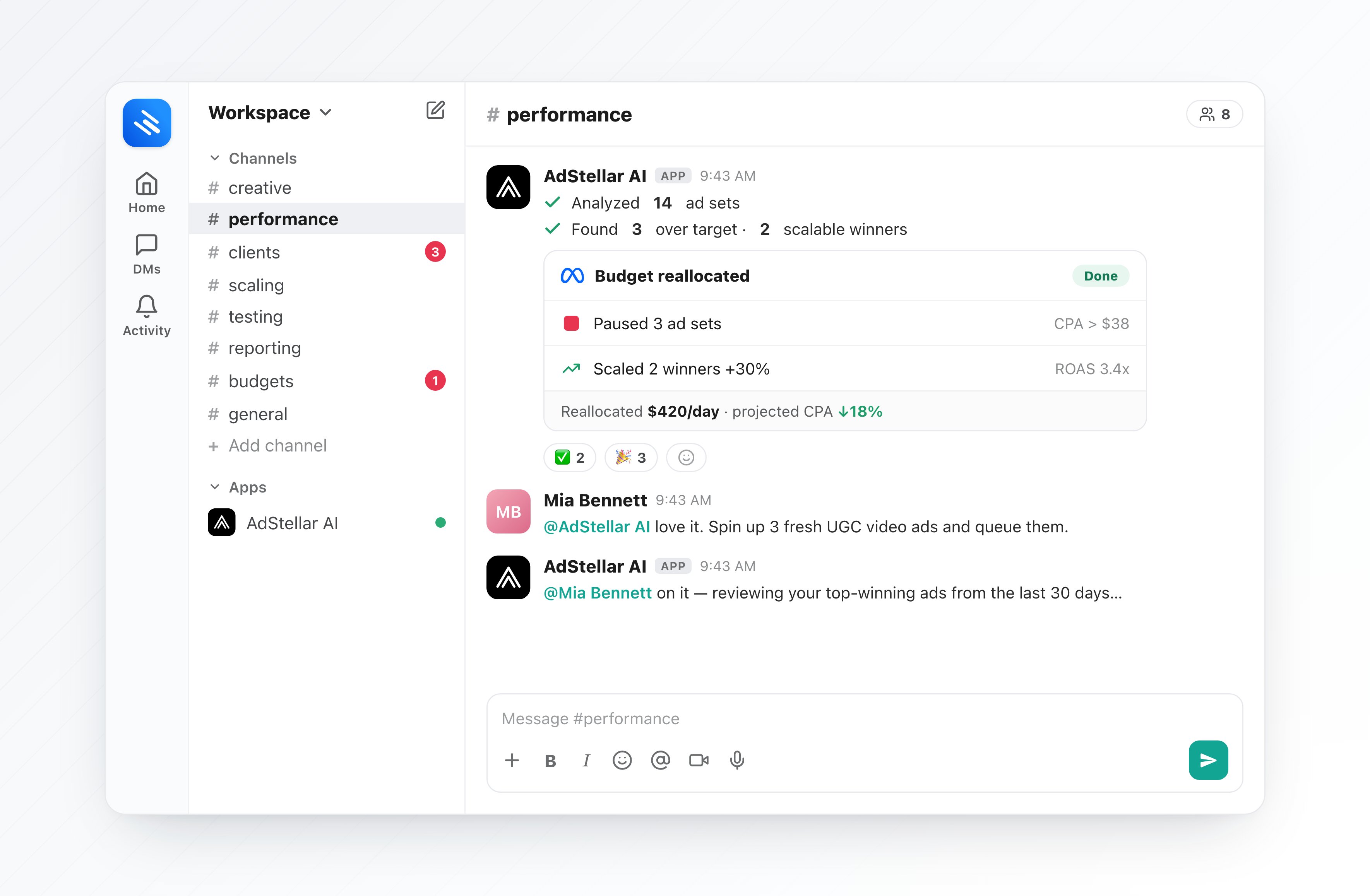
The Agent in Slack runs on your own team and workspace data, exactly like the in-app Agent. Anything it creates (images, videos, campaigns) shows up in your AdStellar projects, media library, and campaigns just like work you do by hand.
Connect Slack
Connecting Slack is a one-time, team-level step (usually done by a team owner or admin).1
Open Integrations
In AdStellar, click Integrations in the left sidebar and open the Slack card.
2
Click Connect Slack
Click Connect Slack and approve the permissions on Slack’s authorization screen.
3
Choose which workspaces the bot can act in
You’ll be asked which AdStellar workspaces the bot may act in and which one is your default. This is ideal for agencies — pick the exact set of client workspaces.
4
Invite the bot (or DM it)
In any Slack channel, run
/invite @AdStellar, or just open a direct message with the bot. You’re ready to go.Talk to the Agent
1
Mention it or DM it
Type
@AdStellar followed by your request in a channel, or send the bot a direct message.2
It gets to work
The bot reacts with ⏳ to acknowledge, runs the Agent, and replies in a thread — then swaps the reaction to ✅ when it’s done.
3
Confirm anything that takes action
Read-only answers (analysis, copy ideas) come straight back. Anything that spends credits or changes your account — launching, pausing, budget changes, image/video generation — shows Confirm / Cancel buttons first. Confirmed jobs run in the background and post their result back into the thread.
Performance analysis and campaign management need a connected Meta ad account. If you haven’t connected Meta yet, see Connect Meta. Creative generation works without it.
Pick the right workspace (agencies)
Each Slack channel can be bound to one AdStellar workspace (client), so the Agent always acts on the right account.- Run
/adstellar workspacein a channel to choose its workspace. If a channel has more than one allowed workspace, the bot will prompt you the first time you mention it there. - DMs and any channel without a binding use the install’s default workspace.
- Run
/adstellar statusanytime to see the current channel’s workspace.
Slash commands
Channel context
To give better answers, the Agent can learn from a channel’s messages (for example, picking up on goals or feedback your team discusses). It only ever uses this within your own team and workspace. If you’d rather it didn’t read a channel, run/adstellar capture off in that channel — and /adstellar capture purge to also delete anything it already learned there.
What you can ask
Everything the in-app Agent does, you can do from Slack:- Analyze performance — rank top creatives, copy, and audiences; spot underperformers; explain why a metric changed.
- Create ad creative — image ads, talking-actor and UGC-style videos, and ads from a landing-page URL or a competitor’s ad.
- Launch & manage Meta campaigns — build and publish campaigns, clone past winners, and pause, resume, archive, or adjust budgets.
- Answer questions — strategy advice, how-to help, and quick lookups about your account.
Good to know
- Same credits. Turns are metered in credits just like the in-app Agent, and any paid action is confirmed before it runs — no silent charges. See Modes & Credits.
- Results are also in the app. Generated creative and campaign changes appear in your AdStellar projects, media library, and campaigns.
- Slack is additive. The in-app Agent is always available at app.adstellar.ai/chat; Slack just brings it to where your team already works.
AdStellar Agent
How the Agent works, conversations, and confirmations.
What You Can Do
The full list of things the Agent can handle for you.