

Option 1: Turn On from AdStellar (Easiest)
Go to Ads Manager in AdStellar (left sidebar, right under Launch). Every campaign, ad set, and ad has an on/off switch in the Status column — flip it to turn the item on. The change applies to Meta immediately. Remember to turn on the campaign, its ad sets, and its ads — all levels must be on for your ads to deliver. Learn more about Ads Manager controls →Option 2: Turn On in Meta Ads Manager
This guide will walk you through how to quickly turn on all of your ad sets and ads in bulk so your campaign can start delivering.Step-by-Step Instructions
1
Select all ad sets
In Meta Ads Manager, navigate to the Ad Sets tab of your campaign. Click the master checkbox in the top-left corner of the table. This will select all of your ad sets at once.
2
Open the Edit menu
With all ad sets selected, look for the Edit button in the toolbar. Click the small down arrow next to the Edit button to open a dropdown menu.
3
Click Turn On
In the dropdown menu, click Turn on. This will turn on all of the selected ad sets at once.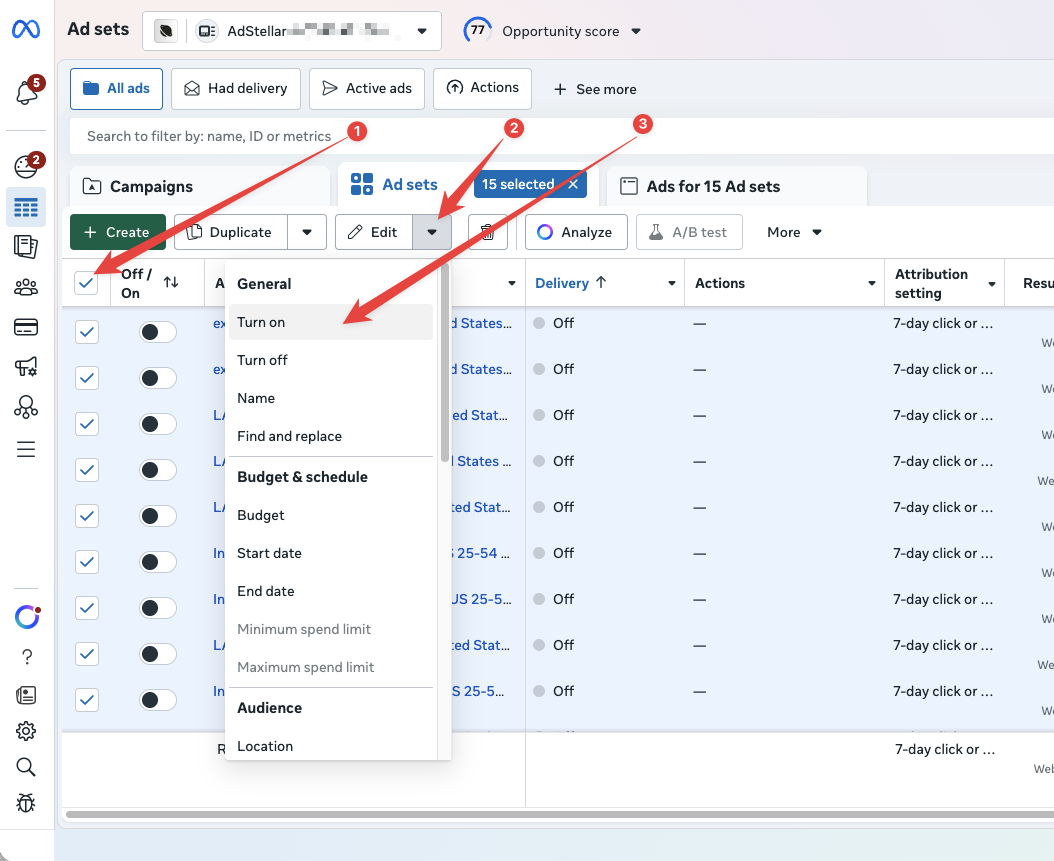
4
Click Publish
A confirmation dialog will appear that says “Change item status — You are turning on 15 items” (the number will match how many ad sets you selected). Click the green Publish button to confirm and apply the changes.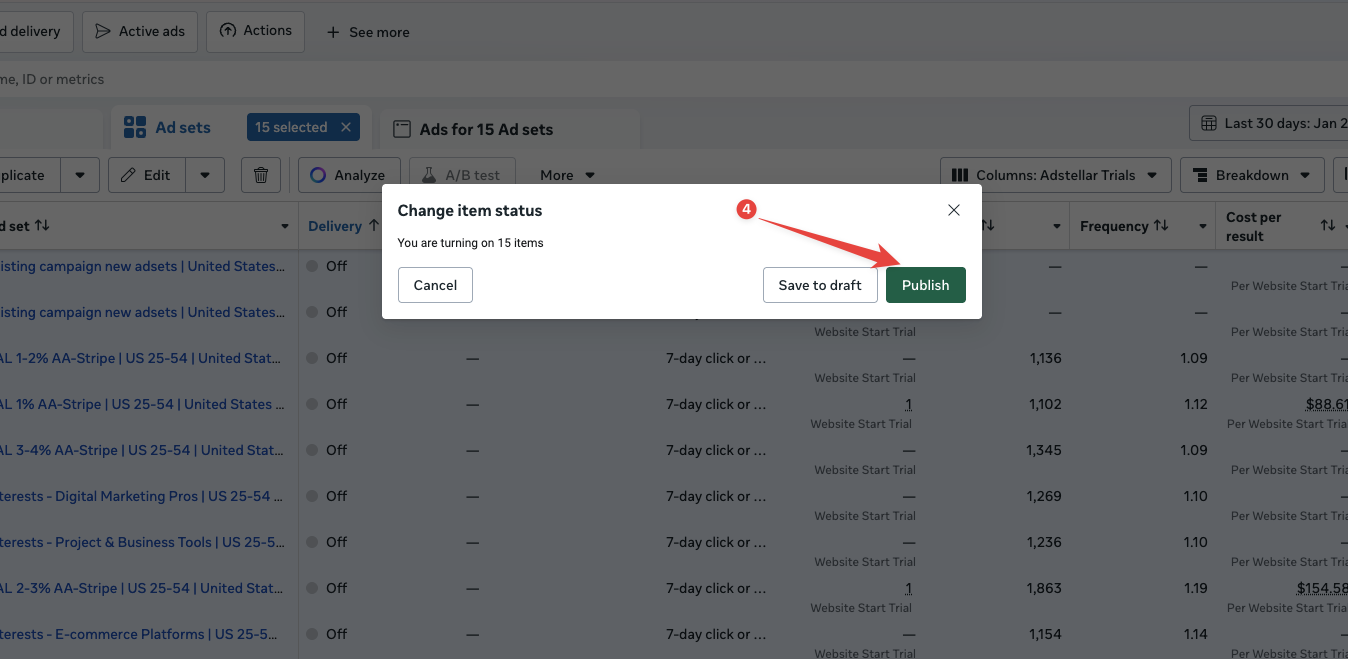
Repeat for the Ads Level
After you have turned on all of your ad sets, you need to do the same thing at the Ads level. Click on the Ads tab in Meta Ads Manager and repeat the exact same steps:- Select all ads using the master checkbox
- Open the Edit dropdown menu
- Click “Turn On”
- Click “Publish” to confirm
Troubleshooting
- I turned everything on but AdStellar shows no data yet. Performance data appears in AdStellar about 60 minutes after the campaign starts spending in Meta. If Meta Ads Manager shows delivery and spend, give it an hour — nothing is broken.
- My ads still say “Off” after publishing. Make sure you have turned on items at both the Ad Sets level and the Ads level. If only one level is turned on, your ads will not deliver.
- I don’t see the Edit dropdown. Make sure you have selected at least one item using the checkbox. The Edit button and its dropdown arrow only appear when items are selected.
- I see “In Review” instead of “Active.” This is normal. After turning on your ads, Meta may take some time to review them before they start delivering. This typically takes less than 24 hours.