> ## Documentation Index
> Fetch the complete documentation index at: https://docs.adstellar.ai/llms.txt
> Use this file to discover all available pages before exploring further.
# How to Set Up Meta Beneficiary & Payer Information for European Ad Targeting
> Configure the required beneficiary and payer settings in Meta Ads Manager so your EU-targeted campaigns can publish from AdStellar.
## Why This Matters
Meta [requires all advertisers targeting European countries to have default beneficiary and payer information](https://www.facebook.com/business/help/605021638170961) configured in their Meta Ads Manager. This is a regulatory requirement for ad transparency in the European Union.
If you don't set this up, any campaigns you launch from AdStellar that target European countries will fail to publish to your Meta Ads Manager. You must complete this setup before running EU-targeted campaigns.
## Step-by-Step Setup
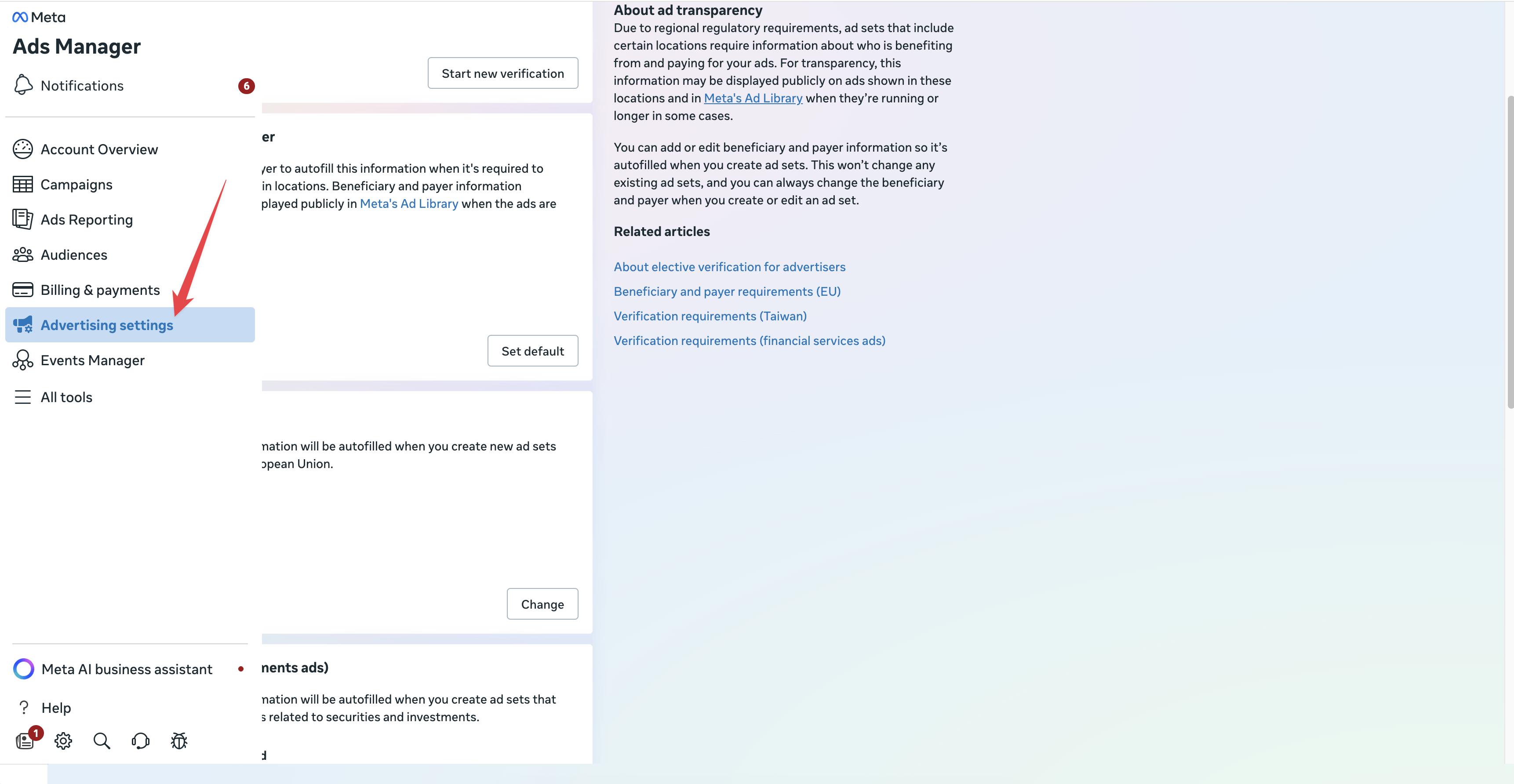
Log in to your **Meta Ads Manager** for the ad account you use with AdStellar. In the left-hand navigation menu, click **[Advertising settings](https://adsmanager.facebook.com/adsmanager/manage/advertising_settings)**.
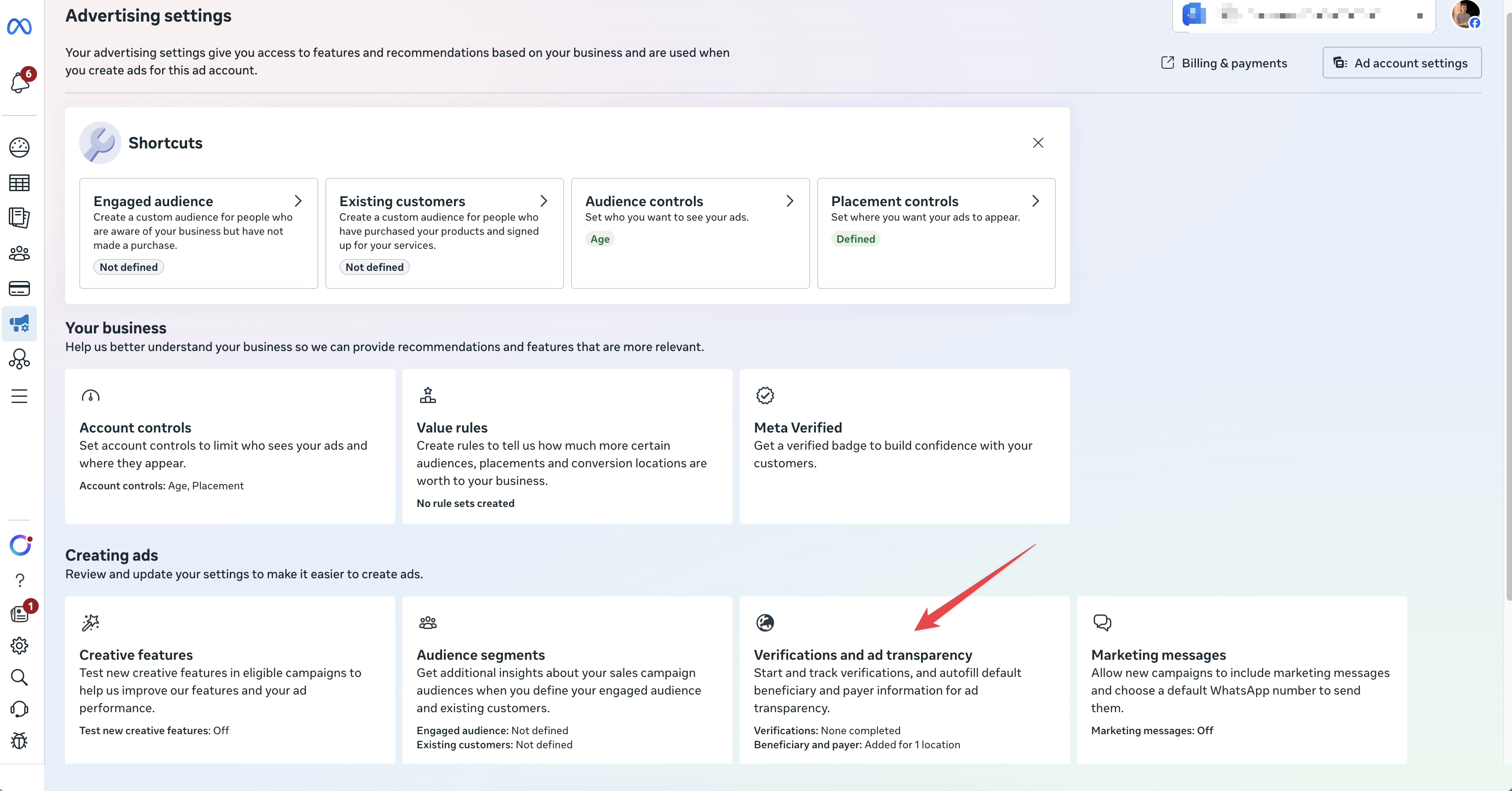
 On the Advertising settings page, scroll down to the **Creating ads** section. Find the **[Verifications and ad transparency](https://adsmanager.facebook.com/adsmanager/manage/advertising_settings/beneficiary_payer)** card and click on it.
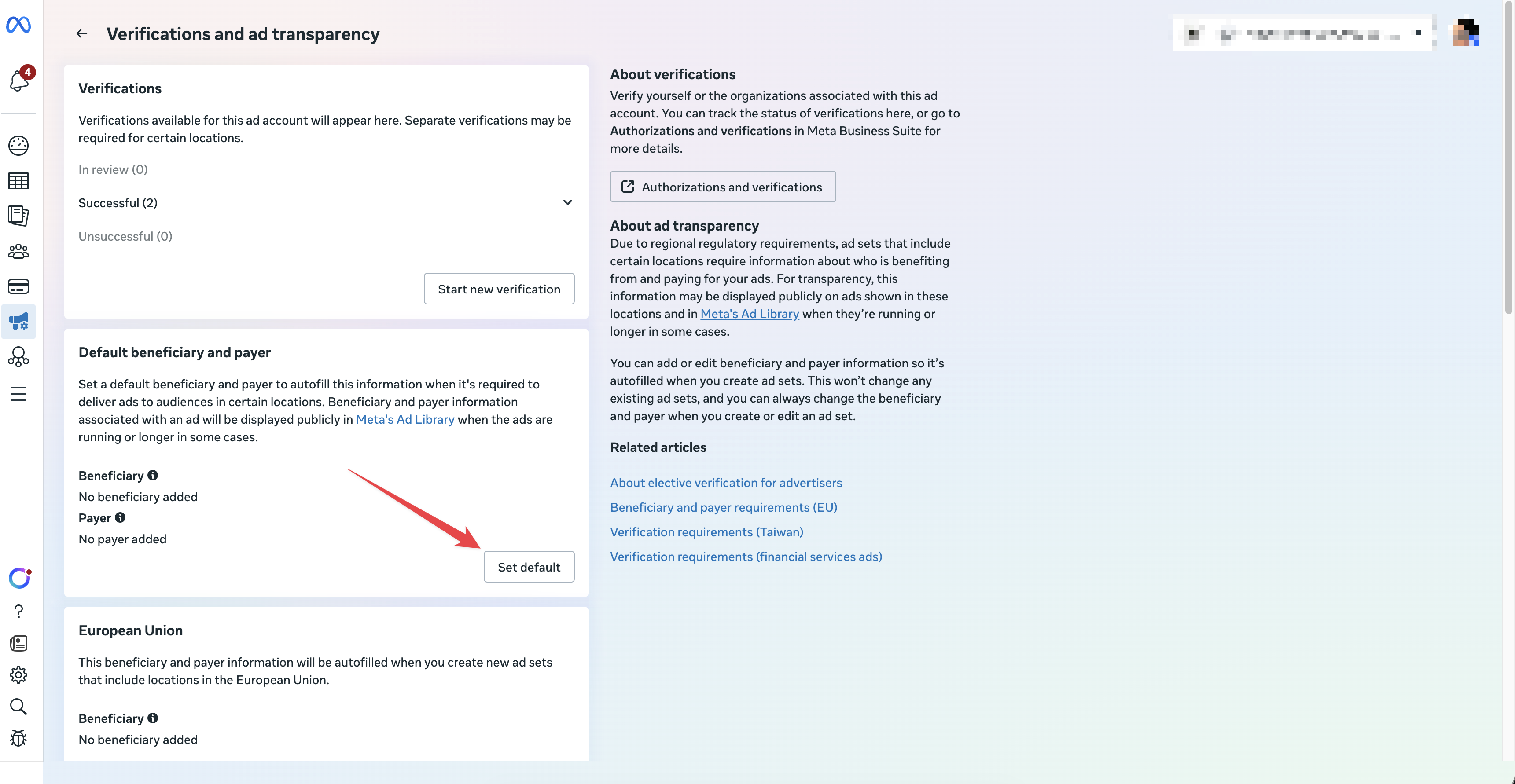
 You'll now see the **Verifications and ad transparency** page. Scroll down to the **Default beneficiary and payer** section. You'll notice it currently shows "No beneficiary added" and "No payer added."
Find the "European Union" section (or the other countries you are looking to target: India, Australia, Singapore, Taiwan).
Click **Change** (Step 1 in the image below):
You'll now see the **Verifications and ad transparency** page. Scroll down to the **Default beneficiary and payer** section. You'll notice it currently shows "No beneficiary added" and "No payer added."
Find the "European Union" section (or the other countries you are looking to target: India, Australia, Singapore, Taiwan).
Click **Change** (Step 1 in the image below):
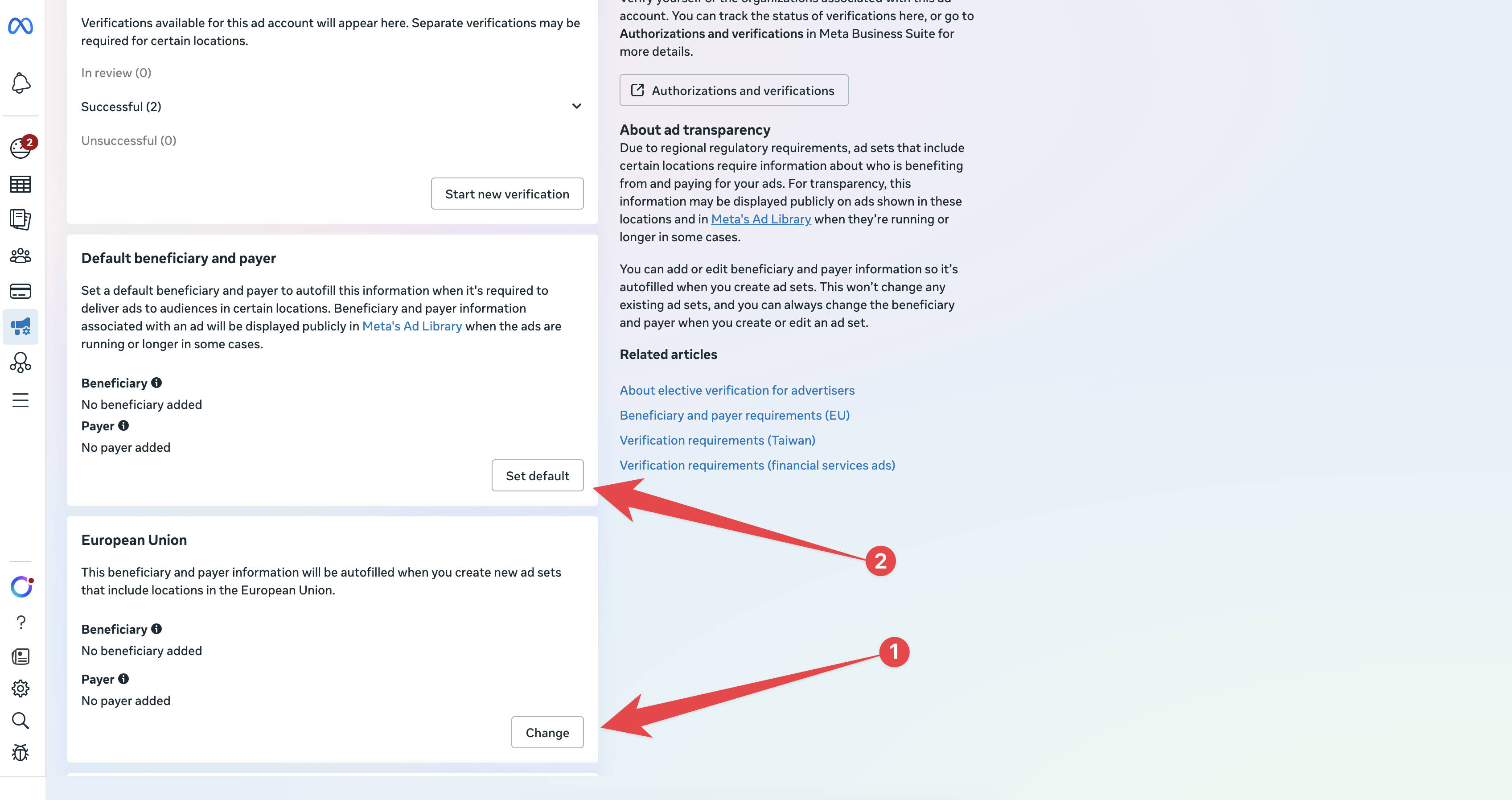 Then click **Set default** underneath the Default beneficiary and payer section (Step 2 in the image above):
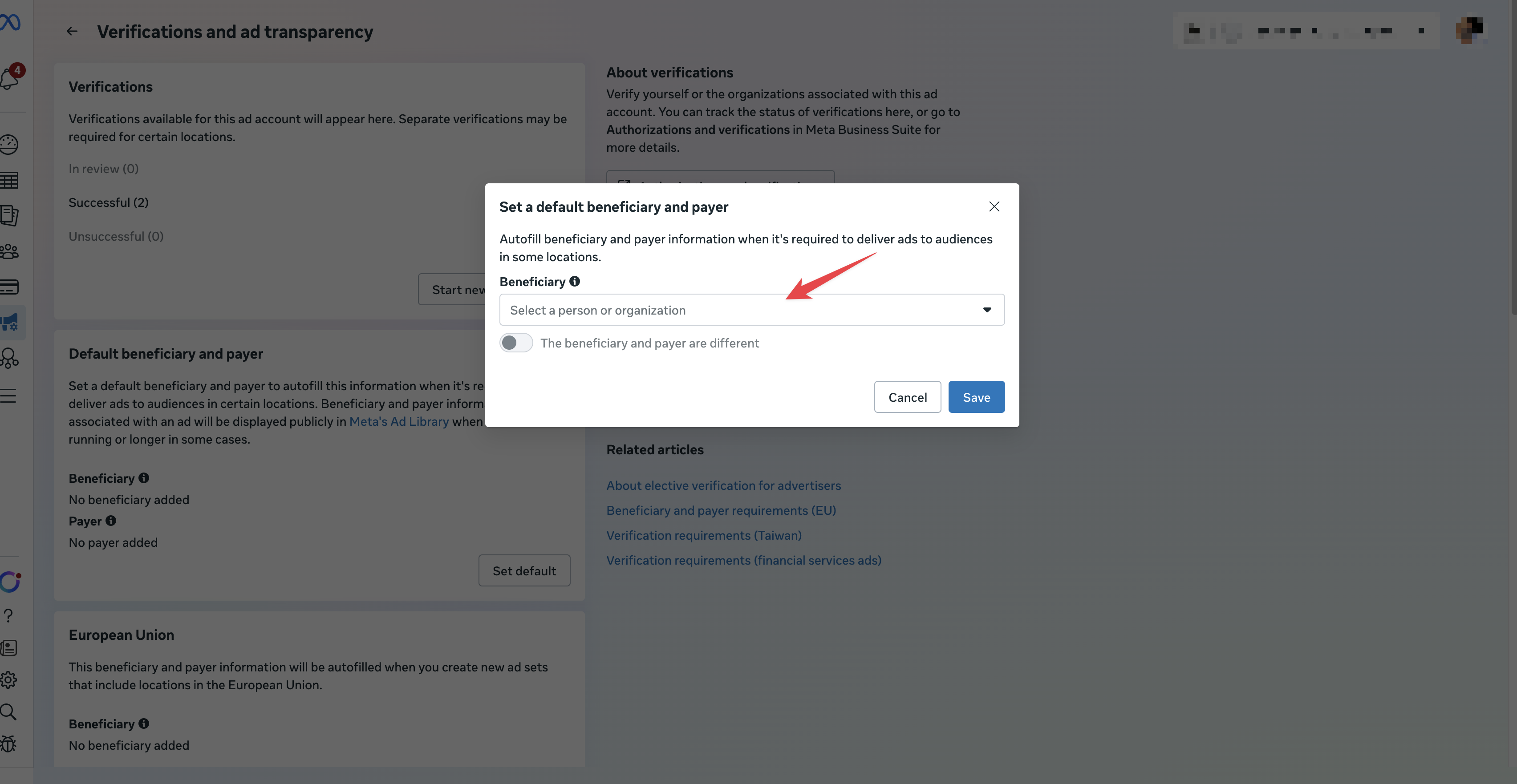
 A modal will appear titled **"Set a default beneficiary and payer."** Use the **Beneficiary** dropdown to select the person or organization that benefits from your ads. If the beneficiary and payer are different (for example, if an agency is paying on behalf of a brand), toggle on **"The beneficiary and payer are different"** and fill in both fields. Once you're done, click **Save**.
 ## You're All Set
Once saved, your default beneficiary and payer information will be automatically applied whenever you create ad sets targeting European countries -- including campaigns launched from AdStellar. You can return to this page at any time to update your settings.
If you have questions or run into issues, reach out to the AdStellar support team.
Keep in mind these countries require different DSA verifications on that page:
* **European Union**
* **India** (securities and investments ads)
* **Australia** (financial services ads)
* **Singapore**
* **Taiwan**
## You're All Set
Once saved, your default beneficiary and payer information will be automatically applied whenever you create ad sets targeting European countries -- including campaigns launched from AdStellar. You can return to this page at any time to update your settings.
If you have questions or run into issues, reach out to the AdStellar support team.
Keep in mind these countries require different DSA verifications on that page:
* **European Union**
* **India** (securities and investments ads)
* **Australia** (financial services ads)
* **Singapore**
* **Taiwan**